
Rouvy “glitches” and “drop outs”!
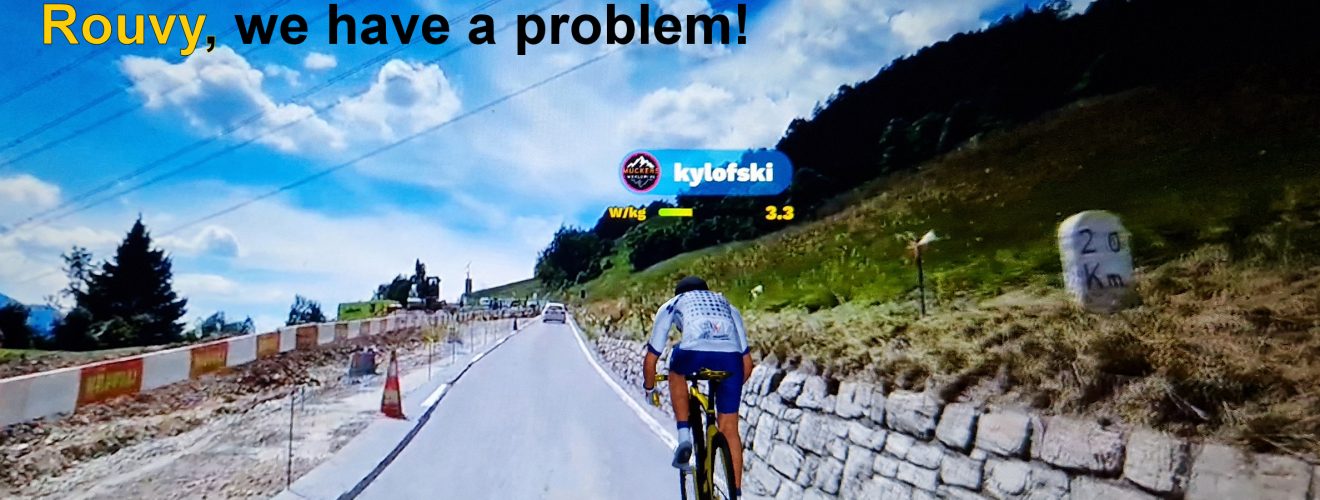
A number of our members have experienced being disconnected from races or experiencing “glitches” while riding. I encountered this issue the other night, where my rider in PANORAMIC VIEW cycled away, forcing me to switch to MAP VIEW.
Despite these small issues, I still enjoy using Rouvy as I am confident they will be resolved in due time. It could also be due to hardware-related issues such as a laptop or tablet.
A member reached out to Rouvy support and received the following response:
We apologize for the problems you are experiencing with the Rouvy. Have you tried to clear the app caches and data on your Android?
This is recommended even by Android developers. To keep your device and apps working with Google Play Services, you have to clear the app data or caches.
https://support.google.com/googleplay/answer/9037938?hl=en
May you please try to reinstall the Rouvy app and download the latest version, 2.20.0?
May you please try to select Standard player and let us know if your performance is better? May you please try downloading a video of the route before you ride it? Also, could try lower graphics quality and video quality from 720->540?
May you try this and let us know if it was helpful?
Best Regards
Rouvy Team.
This might assist you if you’re encountering any difficulties with Rouvy. If it doesn’t, you can contact their support team for assistance.





nice one Kyle.
A lot of people, including myself are experiencing the video “freezing”. By “freezing” I mean the road stops moving, and your avatar rides off into the sunset while all your real-time stats and location marker continue to update. This freezing only happens when streaming. 99.9% of the time, it occurs between 60 and 64 minutes into the ride…consistently. I use an Android S10…however, I have chatted with other Rouvy riders that experience the same issue with Windows. Therefore, the issue IS NOT device dependent…it is a Rouvy issue. It’s as though a timeout occurs with the Rouvy video server. It’s important to stress this ONLY happens when streaming. I only use streaming when riding solo. For Group and Race events I have always downloaded the routes and have never had the issue.
However, there is a method to resync a “frozen” video without switching to map view or worse yet, ending your ride. The below procedure has worked for me every time (dozens) and has also worked for others that use streaming.
1) Keep pedaling!!. Touch the gear in the upper right of the screen which brings up the menu.
2) Touch “Settings”
3) Change the “Video Streaming Quality” property to either 720p or 1080p, which ever one it’s NOT currently set to. Changing this property from one value to the other forces the app to resync the video.
4) Touch the “X” in the upper right of the screen twice to take you back to your ride. There may be a slight delay, but within 5 seconds you’ll be back in business.
If your ride goes past 2 hours, prepare to repeat the procedure. For me, the second occurrence is exactly 60 minutes after the first one.
I’ve tried changing the Video Streaming Quality just before the hour in the hopes of preventing it from occurring. Unfortunately, this DOES NOT work. It still happens!
‘Hope this helps some others. If it works for you, please pass this procedure on…there are a LOT of frustrated individuals out there with this issue.
Thanks so much…
Thank you Bill for sharing your experience with the freezing issue on Rouvy and providing a helpful solution for other users who may be facing the same problem. Your step-by-step procedure for resyncing a “frozen” video is informative and easy to follow, and I’m sure it will be very beneficial to those struggling with this issue.
Your willingness to share your solution and help others is greatly appreciated. It’s people like you who make the online community a better place by providing valuable information and support to those in need.
Thanks again for your contribution, and keep up the good work!
Kyle
Nice one Bill that’s great information..